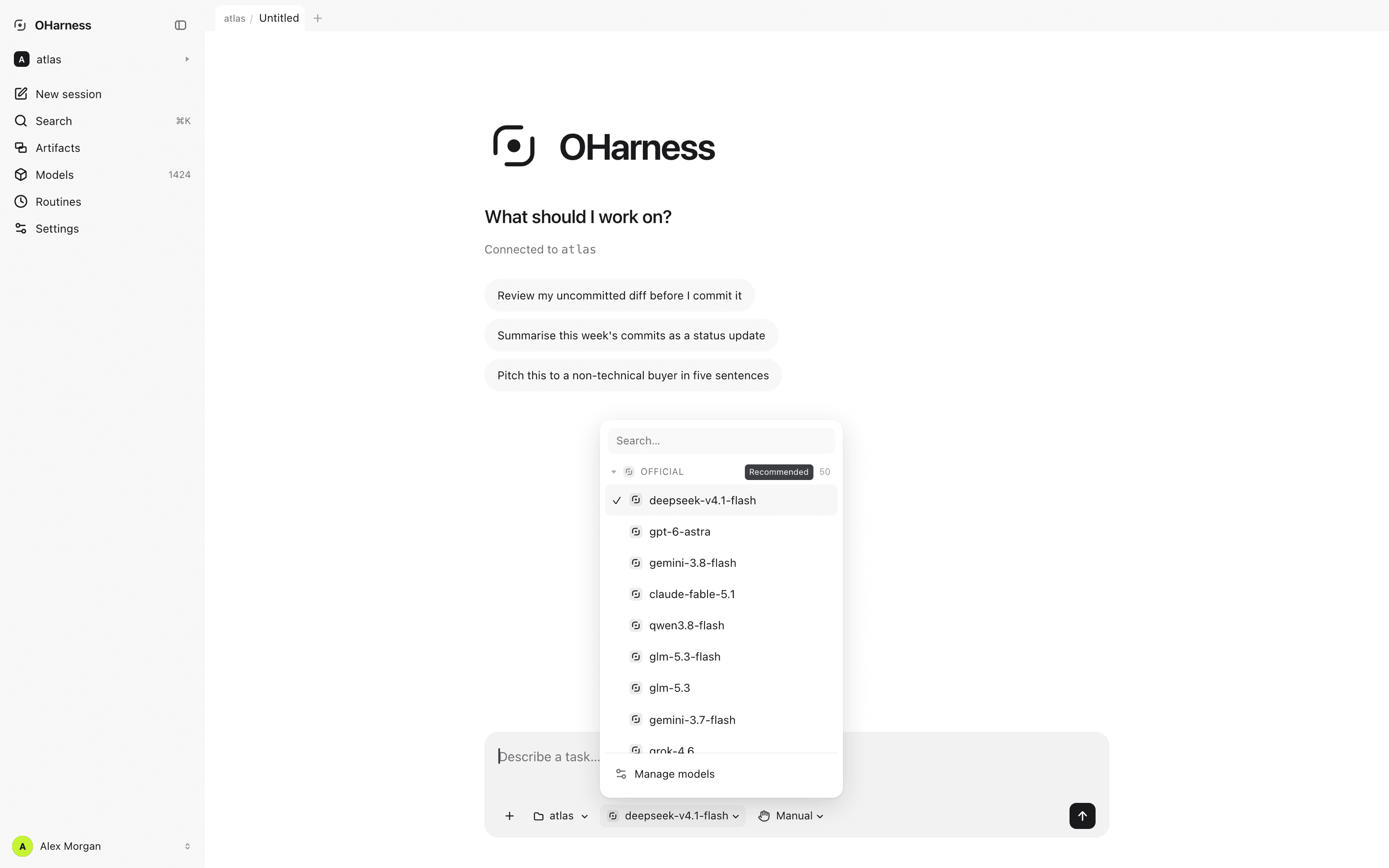
No model lock-in: switch Anthropic, OpenAI, Gemini or DeepSeek mid-session. The agent loop, tools, MCP, hooks and permissions live in a transparent harness that evolves with your work.

or install the CLI
npm install -g oharness
The browser frontend, driving the same engine as the terminal.
Speaks natively to
AnthropicOpenAIGoogle GeminiOllamaLM StudiovLLMAny OpenAI-compatible endpoint
34
Providers
4
Frontends, one engine
2
Engine dependencies
485
Tests passing
Transparent by design

See what the agent does, what it keeps, and what it can do next.

Providers

Anthropic, OpenAI and Google Gemini natively, every OpenAI-compatible endpoint, and runtimes on your own machine. Each is catalogued with its own endpoint and key, and the model list is asked of the vendor rather than shipped inside the package — so it is never a stale copy.

Tool calling

Define a tool with zod. JSON Schema is generated and arguments validated for you, and whether calls run in parallel or in sequence comes from the tool's own declaration.

MCP

A JSON-RPC client built in — stdio and Streamable HTTP, no MCP SDK. Servers are discovered and their tools namespaced automatically.

Context

Compaction that cuts at a safe point rather than mid-exchange, sessions persisted and resumable, and recall across transcripts already archived.

Permissions

Deny beats allow, and even bypass. Five modes, rules that fail at parse time instead of at 3am, and a prompt that is injected — so a scheduled run never waits on a human.

Subagents

Delegate to isolated contexts, run them in parallel, and keep the conclusion instead of the transcript that produced it.

One session, every provider

Switch model mid-session. Nothing is converted.

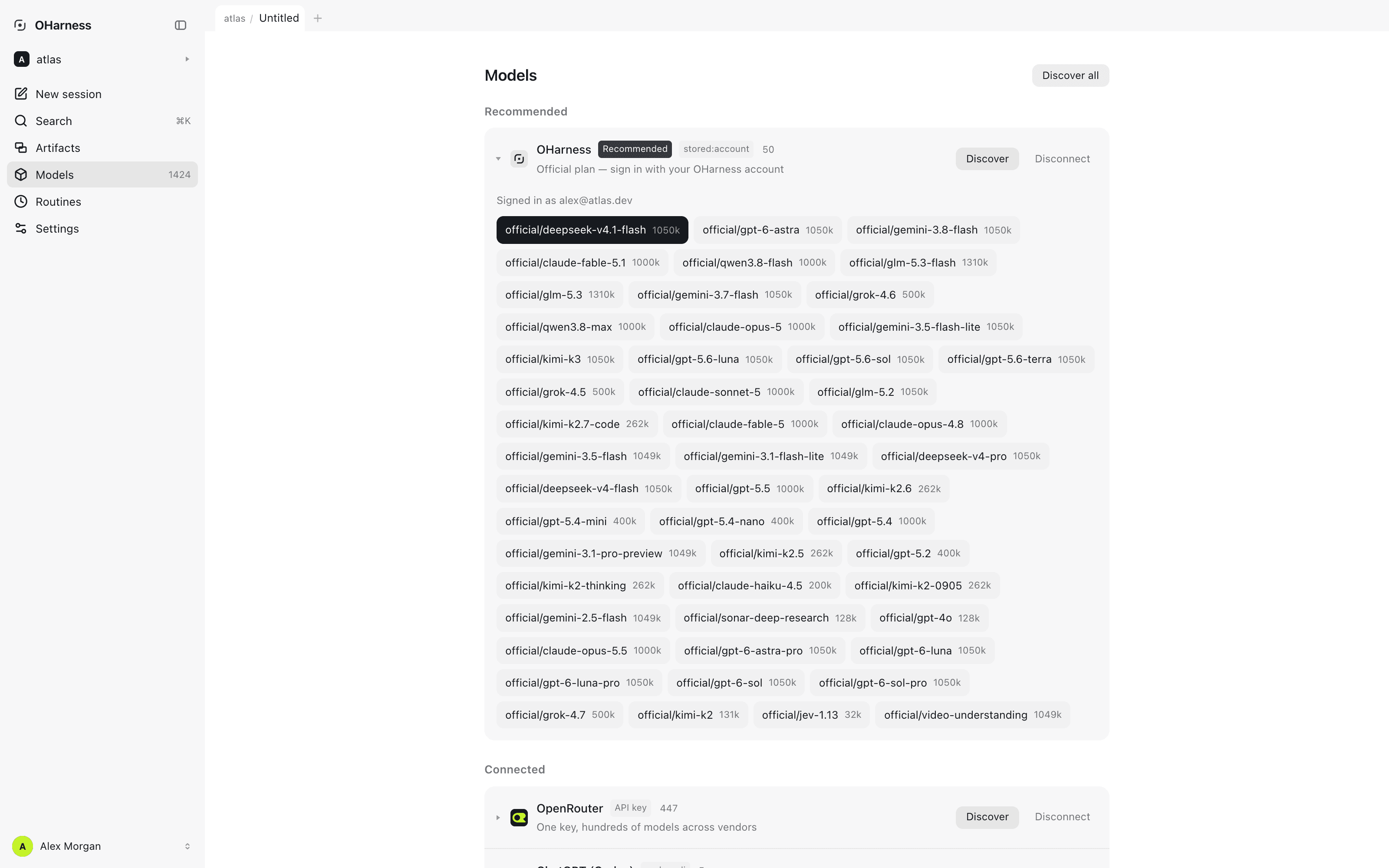
Connect a vendor with a key, or point at Ollama, LM Studio or your own vLLM server. Models are discovered from each vendor's own endpoint, so the list is never a stale copy shipped inside the package.

Read the docs
The model panel: local runtimes and hosted vendors in one list.
What it is

A transparent, local-first harness that is never bound to one model

OHarness keeps tools, permissions, memory, artifacts and task history visible, locally owned and independent from the model provider.

Who it is for

  • Developers who want an inspectable agent loop instead of opaque autonomy.
  • Teams that want durable local state and explicit permissions independent of the model provider.
  • Anyone who needs to switch providers, private endpoints or local models without rebuilding the task.
  • People who move between terminal, browser and desktop and want the same sessions in all three.

How it works

  1. Keep sessions, memory, artifacts, audit records and credentials in readable files on your machine.
  2. Inspect tool calls, file changes, permissions, usage and cost while the harness runs the work.
  3. Choose any configured provider — or a local model — and switch without rebuilding the task.
Before you install

Common questions

Is OHarness free?

Yes. The harness is free to use with your own provider key or a local model, and needs no account. The optional hosted plan bills model usage in credits.

Is OHarness open source?

Not yet. The npm packages are published under the MIT licence; the source repository is private. Open source: coming soon, with no release date announced.

Does it work with Claude, GPT and Gemini?

Yes, natively — along with DeepSeek, Kimi, GLM, Qwen, OpenRouter and 30+ other providers, and any OpenAI-compatible endpoint.

Can it run local models?

Yes. Ollama, LM Studio and vLLM are built in and need no key, so model requests never leave your machine.

Can I switch models without restarting?

Yes. /model switches mid-session. Provider-neutral history, tool results, permissions, memory and artifacts stay with the harness.

Does OHarness see my code or API keys?

Not with your own key: requests go straight from your machine to the provider you chose, and keys are stored locally with owner-only permissions. Only the optional hosted plan routes requests through our metering gateway.

How is it different from Claude Code?

Claude Code is built for Anthropic's models. OHarness follows the same architecture — agent loop, tools, permissions, MCP, subagents — with the model as a replaceable backend, plus browser and desktop frontends on the same engine.

Which operating systems does it run on?

The CLI runs anywhere Node 22.6 or newer does: macOS, Linux and Windows. The desktop app is published for macOS on Apple silicon.

More answers in the guides →

Download

Desktop builds for every platform.

Download desktop
npm install -g oharness
  • macOS
  • Windows
  • Free to use